Browser-to-Agent: Edit Your Site Without Leaving the Page
I work on my websites with a coding agent running in tmux. The usual flow: look at the site in the browser, switch to the terminal, describe what I want changed, wait, check the browser again. The annoying part is describing where on the page the change should happen — I end up taking screenshots, annotating them to point at specific sections, or copying text from the page just to give the agent enough context.
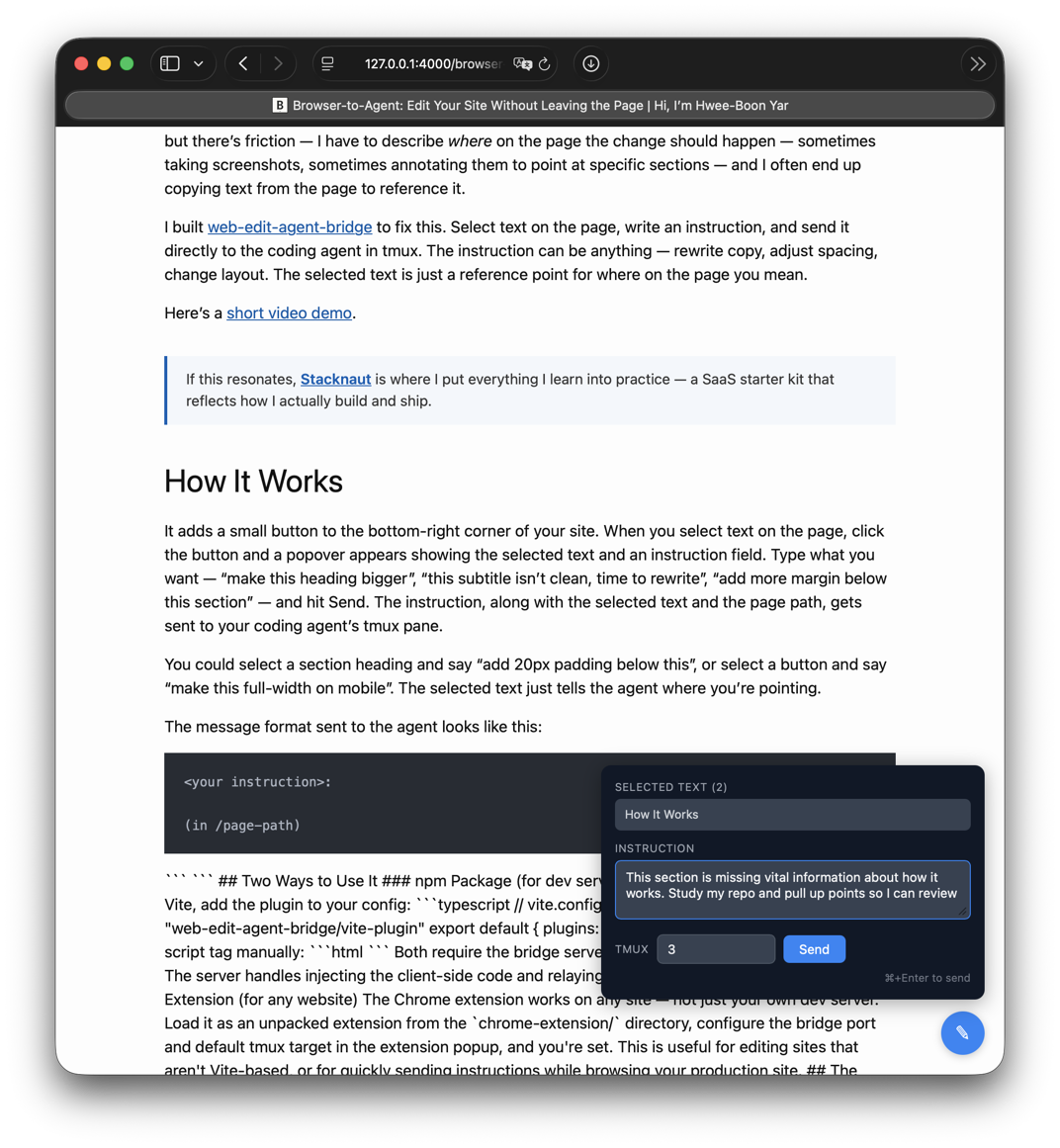
I built web-edit-agent-bridge to fix this. Select text on the page, type an instruction, send it straight to the coding agent in tmux. It doesn’t have to be a text edit — the selected text is just a way to point at a spot on the page. You could select a heading and say “add more margin below this”, or select a button and say “make this full-width on mobile”.
Here’s a short video demo.
How It Works
A small button sits in the bottom-right corner of the page. Select some text, click the button, and a popover appears with the selected text and an instruction field. Type what you want — “this subtitle isn’t clean, time to rewrite”, “add 20px padding below this section” — hit Send. The instruction, the selected text, and the page path get sent to the agent’s tmux pane.
The message the agent receives looks like this:
<instruction>:

(in /page-path)
```
<selected text>
```
Two Ways to Use It
It’s not published yet — I plan to open source it soon. But here’s how it’ll work once it’s available.
npm Package
If you use Vite, add the plugin:
// vite.config.ts
import { webEditAgentBridge } from "web-edit-agent-bridge/vite-plugin"

export default {
  plugins: [
    webEditAgentBridge(),
  ],
}
Or drop in a script tag:
<script src="http://localhost:3456/client.js"></script>
Both need the bridge server running:
bun dist/server.js
The server serves the client script and relays instructions to tmux.
Chrome Extension
The Chrome extension works on any site — not just your dev server. Load it as an unpacked extension from the chrome-extension/ directory, set the bridge port and default tmux target in the extension popup, done.
I use this for sites that aren’t Vite-based, or when I want to send instructions while looking at the production site.
tmux Target
The popover has a tmux target field. Type 3 (means main:3.0), 3.1 (means main:3.1), or a full target like session:3.1. It remembers your last-used target.
I run multiple agents in different tmux windows, so I can point instructions at whichever agent is working on that project.
Why
Without this, I’d switch to the terminal and type something like “on the homepage, the subtitle that says ‘Auth, billing, deployment…’ — rewrite it to be cleaner.” That’s a lot of words to say where I mean. With web-edit-agent-bridge, I select the subtitle, type “rewrite this”, send. The agent gets the exact text and the page path.